

Most people think of apps as things you download from the App Store or Google Play. But there’s another kind of app running right now on blockchains - and you don’t need a phone to use them. These are called dApps, short for decentralized applications. Unlike regular apps that rely on companies like Apple or Google to run their servers, dApps run on networks of computers spread across the globe. That means no single company controls them. No one can shut them down. And every action you take is recorded publicly on a blockchain.
If you’ve heard of Bitcoin or Ethereum, you’ve already seen the technology behind dApps. But actually using one? That’s where most people get stuck. Wallets pop up. Gas fees confuse you. Transactions fail. And you’re left wondering: Is this even worth it?
What Exactly Is a dApp?
A dApp isn’t just a website with a crypto button. It’s a full application built on a blockchain, using smart contracts to handle logic and data. Think of smart contracts like automated robots that follow rules written in code. When you send ETH to a dApp, that robot checks if you have enough, confirms your identity, and executes the action - no middleman needed.
According to DappRadar’s 2023 report, there are over 11,800 active dApps across 18 different blockchains. The biggest ones live on Ethereum (2,873 dApps), BNB Chain (2,301), and Polygon (1,542). Most of them fall into four categories:
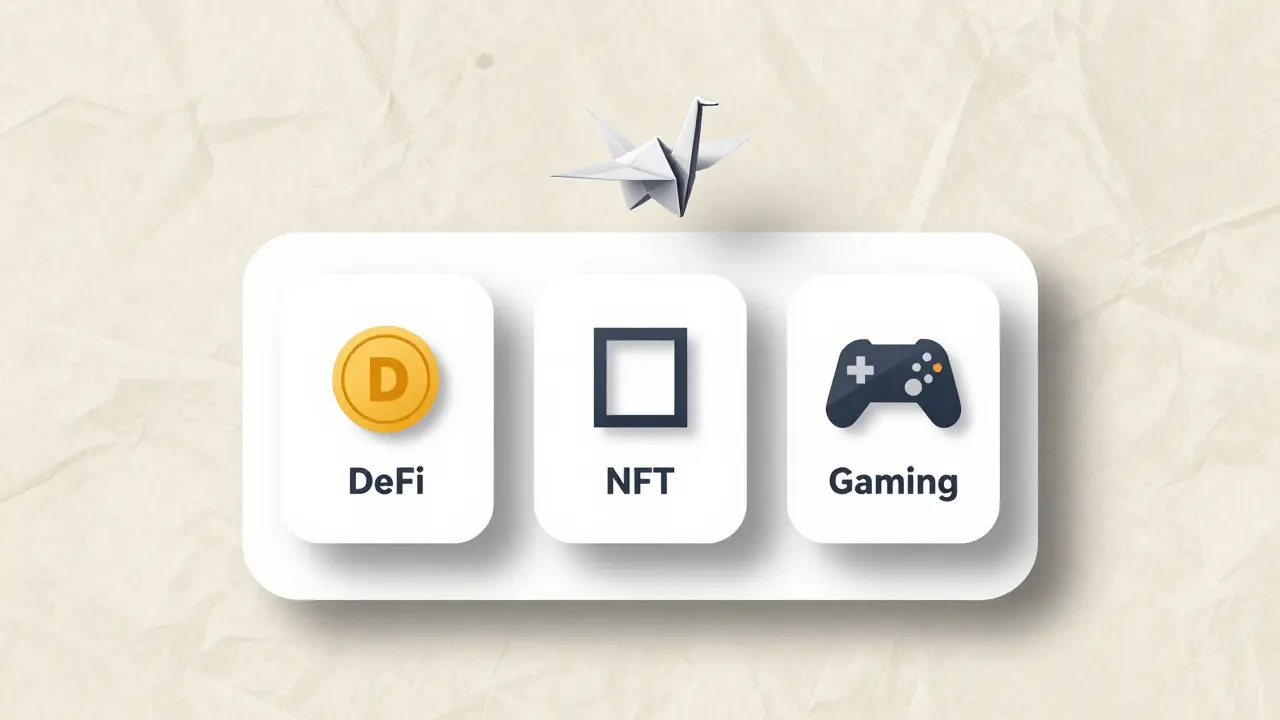
- DeFi (Decentralized Finance): Lending, borrowing, trading - like Uniswap or Aave.
- NFT Marketplaces: Buying and selling digital art, collectibles - like OpenSea or Foundation.app.
- Gaming: Play-to-earn games where you own your characters - like Axie Infinity.
- Social & Governance: Platforms where users vote on decisions - like MakerDAO.
Here’s the catch: 89.7% of all dApps run on EVM-compatible chains - meaning they’re built to work with Ethereum’s system. If you’re just starting out, stick to Ethereum, Polygon, or BNB Chain. They’re the most stable and easiest to use.
Where to Find dApps
You won’t find dApps in the App Store. That’s the whole point. Instead, you need to go to directories built for this new world. Here are the top three places to look:
- DappRadar: Tracks over 11,800 dApps. You can filter by category, chain, or user volume. It’s the most reliable starting point.
- State of the DApps: A long-running directory with clean categorization. Good for beginners who want simple labels like “Finance” or “Gaming.”
- Chain-Specific Stores: Each blockchain has its own app store. For example, Polygon’s Agora lists over 1,000 apps, and Solana’s Dapp Store has 587.
Pro tip: Don’t just click the first dApp you see. Check its metrics. Look for:
- At least 5,000 daily active wallets (shows real usage)
- Open-source code (check the GitHub link)
- Clear documentation (no jargon, step-by-step guides)
According to a 2023 survey, 72% of potential users give up because they can’t find a dApp that makes sense within 10 minutes. That’s why using a trusted directory matters. You’re not just browsing - you’re vetting.
How to Use a dApp: The 7-Step Process
Using a dApp isn’t like opening Instagram. It’s more like setting up a bank account - but you’re doing it yourself. Here’s what actually happens:
- Install a wallet. MetaMask is the most popular - used by over 21 million people. Trust Wallet and Coinbase Wallet are solid alternatives. Install it as a browser extension (Chrome, Brave, Firefox) or mobile app.
- Fund your wallet. You need ETH, MATIC, or BNB to pay for transactions. Buy $10-$20 worth on a centralized exchange like Coinbase or Kraken, then send it to your wallet address. Never send crypto to the wrong network - that’s how people lose money.
- Go to the dApp. Type the URL directly into your browser. Bookmark it. Never click a link from Twitter or Discord unless you’ve verified it.
- Connect your wallet. Click “Connect Wallet” on the dApp site. A pop-up will appear. Select your wallet and approve. This gives the dApp permission to see your balance and sign transactions.
- Review the transaction. Before you confirm, check the gas fee (in gwei) and slippage tolerance. For stablecoins, set slippage at 0.5-1%. For volatile tokens, 1-3% is safer.
- Approve and wait. Click “Confirm.” Your wallet will ask you to sign the transaction. This takes 10-20 seconds. Then you wait for the blockchain to process it.
- Track your transaction. Use Etherscan (for Ethereum) or Polygonscan (for Polygon) to check if it went through. Copy the transaction hash and paste it into the explorer.
That’s seven steps. Most traditional apps take two. No wonder 43.2% of new users quit during wallet setup. But once you’ve done this five times, it becomes automatic.
What You Need to Know Before You Start
You can’t just wing it. Here are the three things every beginner must understand:
1. Gas Fees Are Real
Every action on Ethereum costs gas - a fee paid to miners who process your transaction. As of January 2024, the average fee was $1.85. But it can spike to $10+ during peak times.
Use GasNow or Etherscan’s gas tracker to see real-time prices. Set your transaction to “Slow” if you’re not in a rush. It saves money. Never leave gas at “Average” unless you’re trading.
2. Wallet Security Is Everything
Your wallet is your bank. If you lose the 12- or 24-word recovery phrase, you lose everything. Write it down on paper. Store it in a safe. Never type it into a website. Never screenshot it. Ever.
MetaMask and Trust Wallet are secure - but they’re not magic. They’re tools. You’re the one responsible for protecting them.
3. Not All dApps Are Safe
There are scams everywhere. Fake Uniswap sites. Fake NFT drops. Fake airdrops. Always double-check URLs. Look for the official GitHub link. Read reviews on DappRadar. If a dApp promises “double your money in 24 hours,” it’s a trap.
Why People Love dApps - And Why They Quit
Let’s be honest: dApps are clunky. But they offer something no traditional app can.
On the upside:
- No censorship: In Q3 2023, over 7,800 transactions blocked by banks or payment processors succeeded through dApps.
- True ownership: You own your NFTs, your tokens, your game items. No company can delete them.
- Transparency: Every transaction is public. You can verify every coin move.
On the downside:
- Slow: Transactions take 10-15 seconds. Credit cards take 2 seconds.
- Confusing: 68.3% of users say they don’t understand gas fees. 51.7% have failed transactions due to slippage.
- Unreliable interfaces: Many dApps look like they were built in 2017. Bad UX kills adoption.
But here’s the truth: The people who stick with it aren’t techies. They’re regular users who got past the first few hiccups. One Reddit user spent three hours trying Uniswap. After 12 transactions, they were earning $200/month in yield farming rewards. Another sold digital art for over $12,000 using Foundation.app.

What’s Changing in 2024
The bad news? dApps are still hard. The good news? They’re getting better - fast.
- WalletConnect v3.0 (released Feb 2024) cuts connection steps from 5 to 2.
- DappRadar now offers one-click connect for 83% of dApps - reducing abandonment by 37%.
- Ethereum’s EIP-3074 (account abstraction) is being tested. It’ll let you pay gas fees with any token - not just ETH.
- MetaMask is rolling out simplified interfaces for non-crypto users.
By 2026, experts predict dApp onboarding will drop from 5.7 steps to under 2.5. That’s the turning point. When using a dApp feels as easy as logging into Netflix, mainstream adoption will explode.
Final Advice: Start Small, Stay Safe
Don’t try to trade on Uniswap on day one. Don’t stake your life savings into a new DeFi protocol. Start with this:
- Install MetaMask.
- Buy $20 worth of ETH.
- Go to DappRadar.
- Find a top-rated NFT marketplace.
- Buy one $5 NFT just to see how it works.
That’s it. One small win. One completed transaction. That’s how you learn.
The blockchain isn’t going away. dApps are the future of ownership, finance, and digital interaction. But they’re not for everyone - not yet. They’re for the curious. The patient. The ones who want to own their data, not rent it.
If you can get past the first five minutes, you’re already ahead of 90% of users.


Jeremy Fisher
Look, I’ve been using dApps since 2019, and honestly? Most people treat it like downloading TikTok. You don’t just ‘connect your wallet’ and expect magic. There’s a whole cultural shift here - you’re not buying an app, you’re joining a new kind of economy. I’ve seen folks lose money because they thought MetaMask was like PayPal. It’s not. It’s more like owning a vault with a private key no one else can touch. And yeah, gas fees suck, but that’s the price of decentralization. No middleman means no one to blame when things go sideways. But if you stick with it? You start seeing the real power: censorship-resistant finance, true digital ownership, and communities that actually vote on their own rules. It’s not about making money. It’s about reclaiming control over your digital life. And that? That’s worth the learning curve.
Geet Kulkarni
Oh my 🤦♀️ another ‘beginner’s guide’ that assumes we’re all clueless peasants who need hand-holding. The fact that you have to explain what a smart contract is in 2024 is… embarrassing. If you’re reading this and still don’t know what Ethereum is, maybe blockchain isn’t for you. I’m not being mean - I’m being realistic. This isn’t a ‘how to use Instagram’ tutorial. It’s a gateway into a new financial paradigm. If you can’t handle 7 steps, go back to your bank app. 🌸
Paul David Rillorta
LOL so you’re telling me I’m supposed to trust some ‘dApp’ that runs on ‘blockchain’? Bro. The whole thing is a pyramid scheme disguised as tech. The government’s already monitoring every transaction. They just let you think you’re ‘free’. And don’t even get me started on MetaMask - that’s just a Trojan horse for the Fed to track your crypto movements. I’ve seen the leaks. They’re already tagging wallets. You think you’re decentralized? Nah. You’re just the next data point in a bigger surveillance game. 🤫
Lauren Brookes
I think what’s really beautiful about dApps is how they force you to slow down. In a world of instant gratification, you have to wait for a transaction. You have to think about gas. You have to double-check URLs. It’s annoying - but it’s also grounding. It makes you present. I used to scroll mindlessly through apps all day. Now, when I interact with a dApp, I actually pause. I ask myself: Why am I doing this? What do I believe in? It’s not perfect. But it’s human. And maybe that’s the point. We’re not just using tools anymore - we’re rebuilding how we relate to value, ownership, and trust. It’s messy. It’s slow. But it’s real.
James Breithaupt
For real though - the EVM compatibility point is critical. Most devs don’t even realize how much this standardization matters. It’s the TCP/IP of Web3. You can deploy a contract on Ethereum and it’ll work on Polygon, Arbitrum, Optimism - because they all speak the same language. That’s why the 89.7% stat isn’t a coincidence. It’s architectural inevitability. And the fact that walletConnect v3 reduces steps from 5 to 2? That’s the real inflection point. Not the UI. Not the marketing. The underlying protocol layer. Once you abstract away the complexity of key management and gas payment, adoption will spike. We’re not far off from dApp onboarding being as seamless as signing into Spotify. And when that happens? The old web will look like dial-up.
Alex Williams
Hey - if you’re new, don’t panic. I’ve helped 30+ friends through this exact process. Start with just ONE thing: buy $10 ETH, install MetaMask, go to OpenSea, and buy a $5 NFT from a verified collection. That’s it. No trading. No staking. No yield farming. Just one transaction. Once you see that NFT appear in your wallet - boom - you’re no longer a spectator. You’re a participant. And after that? You’ll naturally want to learn more. Gas fees? You’ll learn them by experience. Wallet security? You’ll get paranoid - in a good way. This isn’t about being an expert. It’s about being curious. And curiosity is the only requirement.
Sarah Shergold
Ugh. Another ‘beginner-friendly’ guide that’s just corporate crypto marketing. OpenSea? Please. That’s a graveyard for rug pulls. And ‘DappRadar’? More like DappRadar™ - sponsored by Coinbase. If you think this is ‘decentralized’, you’ve never seen the backend. I’ve been in the space since 2017. This is just Web2 with more buzzwords. 🙄
Andrew Edmark
Just wanted to say - if you’re reading this and feeling overwhelmed? You’re not alone. I cried the first time I sent ETH and it failed. I thought I lost everything. Took me 3 days to figure out the slippage thing. But I kept going. And now? I’ve got a little portfolio. Not rich. Not famous. Just… free. Free from banks. Free from ads. Free from being a product. If you’re scared? That’s okay. Just do one thing today. One small step. You’ve got this. 💙
Dominica Anderson
Why are we even talking about Ethereum? America built the internet. America built crypto. And now we’re letting India and China dominate the ecosystem? BNB Chain? Polygon? Please. This is just tech colonialism. Real innovation happens on Ethereum - the American chain. If you’re not using it, you’re not serious. 🇺🇸
sruthi magesh
Blockchain? More like blockchain scams. Who really owns this? The same billionaires who own the stock market. You think MetaMask is free? It’s just a front for Wall Street 2.0. And DappRadar? Sponsored by the same VC firms that crashed the last bubble. We’re not building freedom - we’re just repackaging exploitation. Wake up. 🧠
Lisa Parker
I tried this. I really did. I spent 4 hours. Bought $50 in ETH. Connected my wallet. Then… nothing. No NFT. No transaction. Just… silence. I felt like I’d been gaslit. Like I was the dumb one. And now I just… I don’t even look at crypto anymore. It’s too emotional. Too heavy. I miss when the internet was simple. 😔
Ian Plunkett
Let’s be brutally honest: 95% of dApps are unusable. The UI is worse than a 2008 MySpace page. Gas fees spike randomly. Wallets crash. Transactions get stuck. And the ‘community’? Mostly bots. You think you’re part of a movement? Nah. You’re just a test subject for devs who don’t care if you succeed. I’ve lost $300 in failed transactions. I’m not mad. I’m just… done. This isn’t the future. It’s a beta. And we’re all the QA team. 🤷♂️
Scott McCrossan
Oh so now we’re supposed to ‘start small’? Like, buy one $5 NFT? That’s not a gateway - that’s a trap. Every ‘small’ action is a data point. Every transaction is tracked. Every wallet is linked. You think you’re anonymous? You’re not. You’re just being groomed for the next phase: mandatory on-chain identity. This isn’t freedom. It’s surveillance with better branding. And you’re all falling for it. 🤡
Beth Erickson
Gas fees are a joke. I sent 0.01 ETH and paid $8 in fees. That’s not innovation. That’s extortion. And don’t even get me started on the ‘you own your data’ nonsense. My wallet is tied to my IP. My transactions are public. I’m more exposed than I ever was on Facebook. This isn’t liberation. It’s a dumpster fire with a blockchain sticker on it.
Ruby Ababio-Fernandez
Why bother? I already have a bank. I already have PayPal. I already have Apple Pay. Why would I risk my money on some website with a ‘connect wallet’ button? This isn’t progress. It’s a scam for people who don’t understand money.
Anandaraj Br
Everyone’s so excited about dApps like they’re magic. But you know what’s real? The guy in Bangalore who works 12 hours a day to pay for gas fees so he can farm yield on a platform built by a guy in Texas who doesn’t even know his name. This isn’t decentralization. It’s just globalization with more wallets. And the people who benefit? Not you. Not me. The ones who own the infrastructure. Always.
Alex Williams
Just saw @alexwilliams’s reply - and I love it. But let me add one thing: if you’re stuck on step 4 (connecting wallet), don’t panic. That pop-up? It’s asking for permission - not your soul. You’re not giving up control. You’re granting temporary access. Think of it like letting a friend borrow your car. You still own it. You just let them drive. And once you’ve done it once? It’s automatic. Seriously. Five tries. That’s all it takes. You got this.